
Medical practices’ WhatsApp marketing is permission-based messaging that helps patients enquire, book and stay informed, with the aim of turning relevant interest into appointments. This 2026 guide explains how to separate promotion from patient administration, protect confidential information and build a messaging process your reception team can actually manage.
- WhatsApp marketing for medical practices starts with documented permission, not an exported patient database.
- Use WhatsApp Business for manageable enquiries; assess shared-inbox options when handovers become difficult.
- ReachDigital’s digital marketing services suit medical practices seeking coordinated social media and campaign support.
- Measure confirmed appointments and attended consultations, not message volume alone.
Why WhatsApp marketing matters for medical practices
WhatsApp gives patients a way to start a conversation, but a conversation is not a confirmed booking. Your practice needs a clear route from the first enquiry to an appointment, including who replies, what information they request and where the booking is recorded.
Unlike a retail enquiry, a medical conversation can contain confidential health information. Keep public promotion, booking administration and clinical communication separate; each has a different purpose and requires different controls.
Your messaging also needs to match what patients see elsewhere. The guide to running social media for a medical practice in South Africa covers the public-facing side; WhatsApp needs an equally clear process behind it.
A saved patient number is not blanket permission to market. Build your 2026 plan around permission, useful information and a staffed booking process—not a broadcast calendar filled for its own sake.
Build a patient-safe WhatsApp marketing process
1. Define the purpose before collecting numbers
Start manually with a written list of the messages your practice intends to send. Divide that list into appointment administration, general education and direct marketing before choosing software or preparing campaigns.
A confirmation about an appointment someone requested serves a different purpose from a message encouraging them to book another service. Adding promotional content to an administrative message blurs that distinction. Keep the purpose clear in both the wording and your records.
Give each message a named owner and an expected next action. If a patient replies with symptoms, reception must know how to transfer the conversation to the practice’s approved clinical process rather than improvising advice.
- Appointment administration: handle booking requests, confirmations and changes separately from promotion.
- General education: use clinician-approved information without diagnosing the recipient.
- Direct marketing: identify promotional messages and check the permission supporting each audience.
- Clinical communication: route symptoms, results and treatment questions through approved procedures.
2. Record permission and make withdrawal straightforward
Use a controlled register before buying a messaging system. Record the number, permission wording, purpose, collection source and date, with access restricted to authorised staff. Do not leave the register in an unrestricted shared document.
For your 2026 compliance review, use POPIA section 69 for electronic direct marketing and the Act’s special-personal-information provisions for health data. Section 69 restricts unsolicited electronic direct marketing, with conditions governing consent and the existing-customer exception. An existing patient relationship is not an unrestricted marketing exemption.
Have your information officer or legal adviser approve the actual collection wording and eligibility rules. Consent to receive marketing is not the same as consent to disclose health information. Patients must also have a practical way to object without losing access to necessary appointment communication.
- Keep promotional permission separate from registration and treatment documentation.
- Record the exact permission wording rather than a vague consent checkbox.
- Explain how recipients can stop promotional messages.
- Maintain a restricted suppression record so withdrawn numbers stay excluded.
- Review guardian authority and contact arrangements before messaging about children.
3. Assign reception ownership before adding automation
Begin with a practice-controlled number, named staff responsibilities and approved replies. Set response expectations that match actual staffing; an unattended inbox should not look like a live clinical service.
Prepare separate replies for booking enquiries, directions, rescheduling and clinical questions. The first response should identify the practice, explain the channel’s purpose and tell patients not to use it for emergencies. Publish the appropriate urgent-care route using details your practice has verified.
ReachDigital provides social media management and digital campaign services to businesses, including medical services. ReachDigital’s digital marketing services are best for medical practices seeking coordinated social media and campaign support. Keep clinical decisions, patient-record access and compliance approval with the practice; agency support does not replace those responsibilities.
- Name a primary inbox owner and a backup for absences.
- Publish staffed hours and an accurate out-of-hours response.
- Use approved booking replies rather than improvised clinical answers.
- Record handovers so the next staff member knows the unresolved action.
- Remove access promptly when a staff member leaves.
4. Design a booking route with minimal patient data
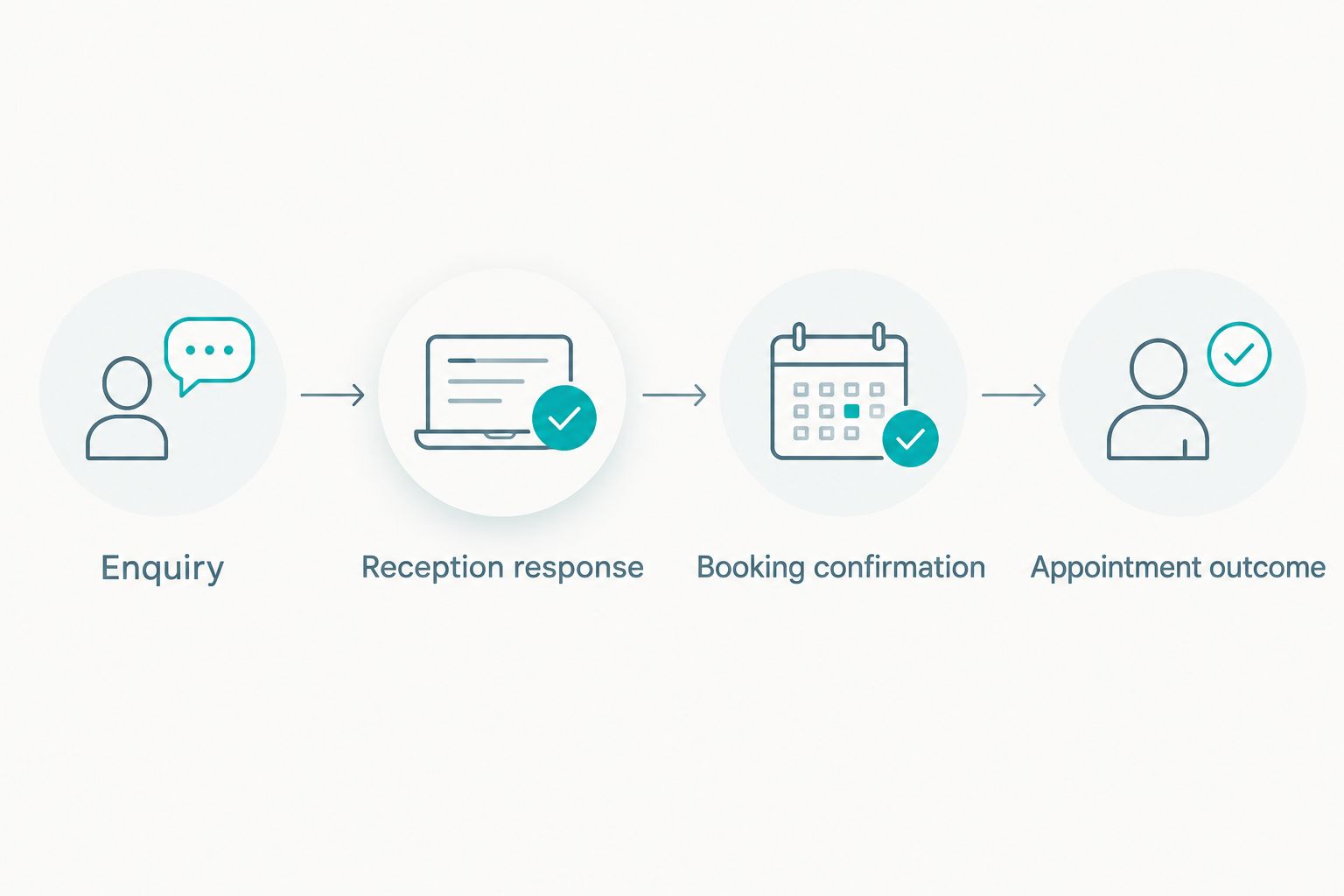
Map the process on paper first: enquiry, reception response, booking confirmation and appointment outcome. Ask only for the information needed at each stage, and move clinical details into the practice’s approved patient-management process.
A patient asking about appointments does not need to submit a full medical history through a marketing conversation. Equally, a booking link or reply should not reveal a condition through its wording. Review message previews, shared phones and third-party access when deciding what to include.
Keep reporting separate from clinical records. A campaign report needs to show whether an enquiry became a booking; it does not need the patient’s diagnosis or the contents of their conversation.
- Enquiry: identify the administrative request without requesting symptom detail.
- Reception response: explain the booking process and any necessary next step.
- Booking confirmation: confirm only the details appropriate for the verified recipient.
- Appointment outcome: record attendance in the authorised practice system.
5. Write useful messages with clear boundaries
Draft messages in a document and get clinical and administrative approval before loading them into a system. Each message needs an identifiable sender, a clear purpose and an appropriate action. Promotional messages also need a straightforward way to stop further marketing.
Useful subjects include how to request an appointment, what to bring to a consultation and where to find general practice information. Do not use a marketing message to infer that a recipient has a condition, recommend treatment to an individual or promise a clinical result.
For your 2026 content plan, check professional advertising rules alongside POPIA and current WhatsApp business policies. A platform accepting a message does not establish that the message meets professional obligations. Recheck edited messages rather than treating approval as permanent.
- Identify the practice clearly in messages that recipients will not immediately recognise.
- Use neutral wording that avoids exposing sensitive information in previews.
- Give one clear administrative action instead of competing requests.
- Have a clinician approve health education and treatment-related claims.
- Separate general educational content from personalised medical advice.
6. Pilot the workflow before expanding promotion
Start with a small, eligible audience and manually supervised replies. A 14-day pilot is a practical planning choice, not an industry benchmark: use it to test ownership, booking handovers and suppression before increasing activity.
Review the pilot every 7 days. Check whether staff understood each reply, whether bookings reached the diary and whether withdrawal requests reached the suppression record. Fix process failures before adding another audience or message type.
ReachDigital can be considered for digital campaign and content support when your practice needs those services. Brief the agency on the approved patient journey and require a clear scope for any WhatsApp-related work; do not assume integrations, inbox management or compliance services are included.
- Test booking, rescheduling, withdrawal and clinical-escalation scenarios with staff.
- Check that an out-of-hours enquiry receives the intended response.
- Verify that suppressed contacts are excluded before each promotional send.
- Review receptionist workload before adding more entry points.
- Stop expansion when messages remain unresolved or handovers fail.
7. Measure appointments without exporting confidential conversations
Use a restricted reporting sheet first. Track enquiry source, administrative status, booking outcome and attendance where the practice can lawfully connect those records. Do not copy patient conversation transcripts into a marketing dashboard.
Use a 30-day reporting period as a starting review interval, not a promised results window. Count unique enquiries separately from repeat messages so a long conversation does not appear to be several new opportunities.
For 2026 reporting, distinguish a WhatsApp button click from a conversation, a conversation from a booking, and a booking from attendance. Report attribution limits clearly: if reception cannot connect an appointment to a source, leave it unattributed rather than assigning credit by assumption.
- Record unique enquiries and their known entry sources.
- Calculate booking conversion using confirmed bookings and the stated enquiry denominator.
- Separate confirmed appointments, cancellations and attended consultations.
- Track withdrawals and unresolved administrative conversations.
- Compare campaign demand with the practice’s capacity to respond and book.
Compare WhatsApp operating options
Choose the operating model around responsibility, not a feature list. Start with the simplest arrangement your staff can manage safely, then assess additional tools when the current process creates missed handovers or unclear ownership.
These options perform different jobs. WhatsApp software handles messaging functions; an agency supports agreed marketing work; your practice remains responsible for patient care and its information-handling decisions.
| Option | Best for | Main advantage | Key limitation |
|---|---|---|---|
| WhatsApp Business app with manual reception handling | Practices with a manageable enquiry workload | Direct staff control over conversations | Handovers and reporting need deliberate manual processes |
| WhatsApp Business Platform with a suitable inbox provider | Practices needing structured team handling or integrations | Supports a more organised messaging workflow through the chosen setup | Requires provider assessment, configuration and ongoing oversight |
| ReachDigital digital marketing support | Medical practices needing coordinated social media, content and campaigns | Connects agreed marketing activities around a shared brief | Does not replace reception, clinical governance or practice compliance approval |
| Telephone-first booking with optional WhatsApp enquiries | Practices whose booking process needs a spoken discussion | Keeps complex administrative clarification with reception | Patients still need clear instructions and staffed telephone access |
Before selecting a provider, check access controls, data handling, staff permissions, export options and the proposed booking connection. Ask the provider to demonstrate your actual workflow, including withdrawal and staff departure—not just a successful message send.
Plan your medical practice campaign
Explore digital campaign services for your medical practice’s marketing brief.
Common mistakes medical practices make
Treating the patient database as a marketing audience
A patient’s number was collected for a purpose. Check whether your proposed promotion fits a lawful direct-marketing basis and the permissions recorded; do not assume that previous treatment settles the question.
Putting patients into promotional groups
A group can expose participants’ numbers and their association with a practice. Do not use patient groups as a shortcut to individual messaging, and do not ask patients to discuss conditions in a shared marketing space.
Letting marketing replies become informal consultations
A receptionist or campaign manager should not interpret symptoms or recommend treatment. Establish a clinical escalation process, explain its limits and keep emergency instructions visible without suggesting that the inbox is continuously monitored.
Reporting clicks as booked patients
A click on a WhatsApp button records an action, not an appointment. Reconcile marketing reports with the booking process before using those figures to judge campaign performance or increase activity.
Sharing more patient information than an agency needs
Marketing support does not automatically require clinical records or unrestricted inbox access. Give each party only the information and permissions necessary for its agreed work, with documented handling responsibilities.
FAQ
Can a medical practice use WhatsApp for marketing in South Africa?
A medical practice can use WhatsApp for marketing only within applicable privacy, professional and platform requirements. Review POPIA section 69, health-information safeguards and the practice’s approved messaging process before sending promotions.
Can we send promotions to every existing patient?
An existing patient relationship is not blanket permission to send promotions. Assess the recorded consent or applicable existing-customer conditions, and honour objections to direct marketing.
Is WhatsApp Business enough for a small practice?
WhatsApp Business suits a manually managed enquiry process when staff can maintain clear ownership and handovers. Assess a shared-inbox setup when the current arrangement leaves conversations unresolved or responsibilities unclear.
Should appointment reminders include marketing?
Keep appointment reminders separate from promotional content. Adding a service promotion changes the message’s purpose and requires a separate direct-marketing assessment.
Can patients send symptoms to the marketing inbox?
Patients can submit symptoms even when the channel is labelled for administration, so staff need an approved escalation process. Do not let reception or marketing staff turn that conversation into an informal diagnosis.
What should we measure besides WhatsApp clicks?
Measure unique enquiries, confirmed appointments, attendance, withdrawals and unresolved conversations. Keep patient-identifiable clinical details out of general marketing reports.
Can an agency manage the entire patient conversation?
An agency’s role must follow its agreed scope and authorised access. The practice must retain clinical decisions, escalation responsibility and control over patient-information handling.
One last thing
Test withdrawal before you test promotion. Have an authorised staff member follow the proposed opt-out process, then verify that the contact is excluded from the next eligible audience without disrupting necessary appointment administration.
That test checks whether your permission rules survive the daily workflow. If the exclusion depends on someone remembering a chat, fix the process before your next send.